

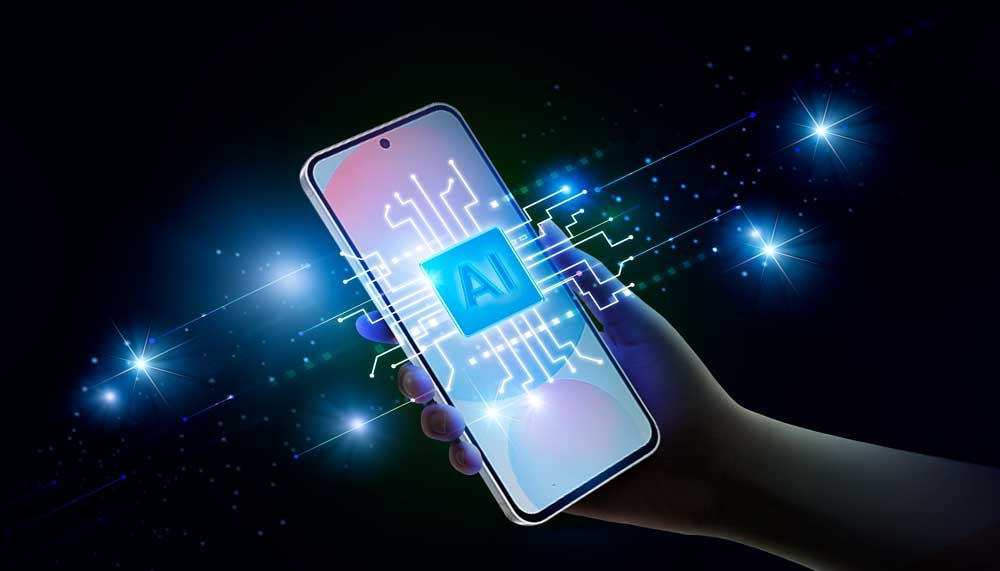
In 2026, most consumer-facing AI experiences are hybrids—part device, part cloud—yet the distinction matters more than ever. It shapes latency, privacy, reliability, battery life, and even the price you pay for a flagship device.
As platforms push toward automation—AI that can complete tasks rather than just suggest them—the architecture underneath becomes the story. Some features feel instant and private because they run locally. Others feel more capable because they draw on larger models in the cloud. The tradeoffs are not theoretical; they show up in everyday moments like typing on a train, editing photos offline, or asking an assistant to manage multi-step requests.
Two architectures, one user experience
At a high level, the split is simple:
- On-device AI runs inference on the phone’s hardware (CPU/GPU/NPU). Data can stay local, responses can be immediate, and features can work offline.
- Cloud AI sends the request to servers where much larger models run. The result is often stronger reasoning, larger context, and more complex generation—at the cost of connectivity and additional privacy considerations.
In practice, modern mobile AI rarely chooses one exclusively. Instead, the platform decides—sometimes invisibly—whether a request can be handled locally or needs to be escalated to the cloud.
On-device AI: fast, private, and limited by physics
On-device AI is built around a constraint that doesn’t exist in the cloud: the phone must do everything within a strict power and thermal budget. That’s why the most common on-device features are short, bounded tasks: summarization, rewriting, quick classification, transcription snippets, and small-scale image operations.
Google’s Android developer guidance reflects this reality: Gemini Nano and other on-device options are positioned for scenarios where local processing, offline availability, and cost-free inference matter most. Cloud models are recommended when requests are more complex or require larger context windows. You can see this split directly in Google’s official Android AI overview, which frames the decision around data size and task complexity.
Apple’s approach is similar in principle, even if the marketing language differs. Apple has been explicit about using on-device models where possible for privacy reasons and reserving server-side processing for requests that require larger foundation models.
The upside of on-device AI is clear:
- Low latency: responses can feel instantaneous because there’s no round trip to a server.
- Offline reliability: features can work without a signal or when networks are congested.
- Privacy posture: less data needs to leave the device for many requests.
- Predictability: performance is less dependent on server load or service outages.
The limits are just as real. Large context windows, long-form reasoning, and high-quality generation often require more compute and memory than a phone can comfortably sustain for long periods. That’s why “agentic” behaviors—multi-step planning with long context—are still usually cloud-assisted.
Cloud AI: stronger reasoning, bigger context, higher dependency
Cloud inference exists for one reason: scale. Servers can run larger models, keep huge contexts in memory, and chain multiple tools (search, retrieval, app actions) without worrying about a phone overheating in a user’s pocket. When you ask for complex planning, deep reasoning over multiple documents, or high-quality generative outputs, cloud AI is typically doing the heavy lifting.
Cloud models also evolve faster. Updates can be deployed centrally without waiting for OS updates, and quality improvements can roll out continuously. That’s one reason cloud-backed assistants often feel “smarter” week to week.
But cloud AI introduces costs beyond subscriptions:
- Connectivity: no network, no capability for certain requests.
- Latency variance: performance depends on signal strength, routing, and server load.
- Data handling complexity: even with strong privacy engineering, requests leave the device.
- Regional and policy differences: feature availability can vary by market or compliance requirements.
This is why the best mobile AI experiences aim for graceful degradation: handle what can be done locally, escalate what must be done in the cloud, and keep the user informed—without turning the process into friction.
The real battlefield: hybrids and “routing” decisions
The most important design question in mobile AI isn’t “device or cloud?” It’s “when do you route to each, and how does the user experience stay coherent?” That routing logic is where platforms are differentiating in 2026.
Google’s Android strategy, for example, emphasizes on-device benefits such as local processing and offline availability, while acknowledging that more complex tasks map better to cloud models. That’s reflected in the Android Developers blog coverage of on-device GenAI APIs and Gemini Nano positioning.
Apple’s “Private Cloud Compute” narrative is essentially another form of hybrid: do as much as possible locally, and when cloud is needed, make the cloud behave more like an extension of the device from a privacy and security standpoint.
From a user perspective, hybrids succeed when three things happen:
- Consistency: the assistant doesn’t feel like two different products stitched together.
- Transparency: users understand when a request is processed locally vs remotely—especially for sensitive content.
- Control: users can opt out, restrict access, or choose stricter privacy modes without breaking core functionality.
Latency, battery, and heat: the hidden costs users feel
If on-device AI is so attractive, why not run everything locally? Because the moment you ask a phone to run larger models for longer sessions, you hit the physics wall: energy, thermals, and memory pressure. Those constraints show up as battery drain, device warmth, background app slowdowns, or aggressive throttling after repeated use.
Cloud AI avoids many of those device costs, but replaces them with a different kind of unpredictability. A workflow that’s “instant” on Wi-Fi can become sluggish on a subway line, and what feels like a smooth assistant can become a waiting spinner when networks are congested.
For Discover-oriented consumer coverage, this is where the story becomes relatable: users don’t care whether inference happened on an NPU or in a data center. They care that the feature is fast when they need it and doesn’t wreck their battery.
Privacy is not a slogan—it’s an architectural choice
On-device processing isn’t automatically “private,” and cloud processing isn’t automatically “unsafe.” But architecture determines what is possible, what is minimized, and what must be trusted.
On-device AI can keep sensitive text, images, and context local by default. Cloud AI can still be designed with robust protections, but it necessarily expands the threat model: data in transit, data in processing, and policy around retention or logging become relevant questions.
Apple’s PCC framing is a direct acknowledgment of this: the company is arguing that if users need server-scale models, the cloud system itself must be engineered specifically for private AI processing, not treated as generic inference infrastructure.
So which is “better” in 2026?
For consumers, the most honest answer is: neither. The best experience is hybrid—on-device for speed, offline use, and sensitive actions; cloud for complex reasoning, long context, and premium generation quality.
For buyers comparing flagships, the practical checklist looks like this:
- Does core AI functionality still work when you’re offline or in poor signal?
- Are privacy controls clear, with granular permissions for sensitive features?
- Is performance consistent across repeated use, or does it degrade with heat and battery drain?
- Does the assistant keep context reliably without forcing you to repeat yourself?
The next year of competition will revolve around this subtle balance. Not just “who has AI,” but who routes it intelligently, explains it clearly, and makes it feel dependable in real life.
Where this is headed
Expect on-device models to become more capable in short-burst tasks, especially as NPUs improve and platforms get better at quantization and memory efficiency. At the same time, cloud AI will keep expanding in reasoning depth, context length, and tool use. Hybrids will become more dynamic, with assistants deciding moment by moment what runs locally and what escalates.
For users, the most important shift may be psychological: AI will stop being “a feature” and start being “the interface.” When that happens, architecture is no longer invisible. It becomes the difference between a phone that feels responsive and trustworthy—and one that feels unpredictable.